Car Export Status Tracking: How Exporters Keep Inventory, Yard, and Shipment Updates Aligned
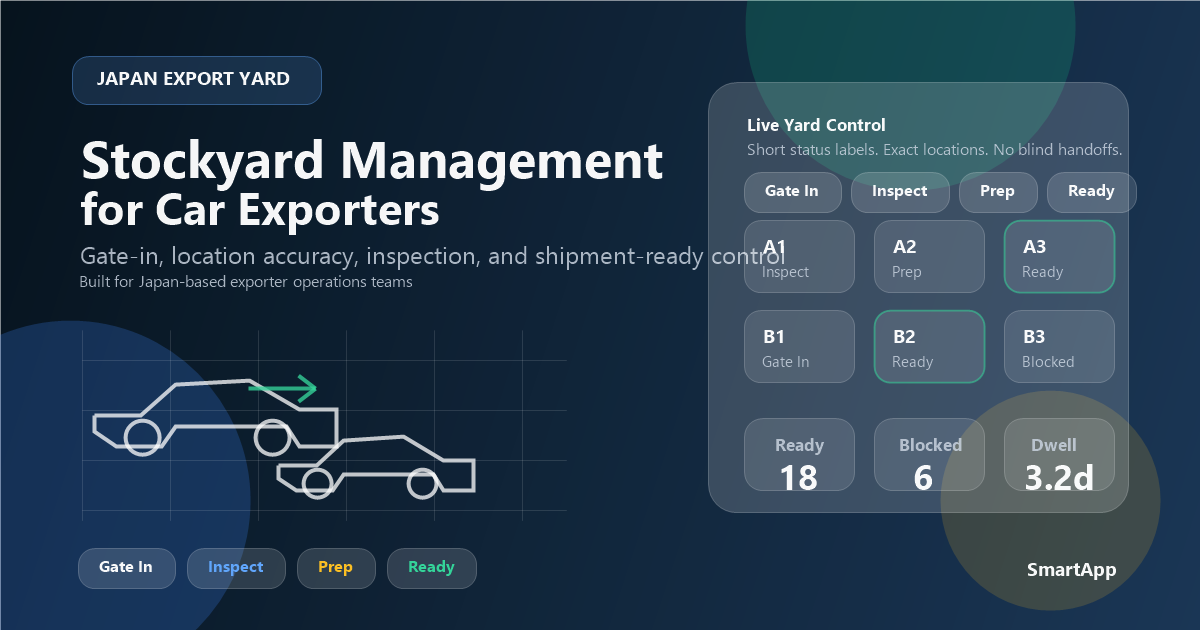
Exporters do not lose control only because work is busy. They lose control when teams can no longer trust status. Buying says a unit is confirmed. Yard says it is not physically ready. Documents says the file is still incomplete. Logistics says booking should wait. Sales tells the buyer something based on yesterday's information. This is exactly why car export status tracking matters. It creates one operating truth about where every vehicle stands and what can safely happen next.
A good status model does much more than put a label on a vehicle. It tells the team whether the unit is purchased, physically received, inspection-ready, blocked by documents, cleared for booking, booked but still risky, departed, or waiting on customer-facing action. When those distinctions are missing, the business works harder just to reconstruct reality before making any decision.
This guide explains how exporters should design car export status tracking across buying, inventory, yard, documents, logistics, and buyer communication. If you want the automation checklist first, start with car automation software checklist. If you want the document layer next, use export document readiness workflow after this.
Status rule that matters
A status is only useful when it helps the next team make the next decision without asking the previous team to explain the unit all over again.
Why exporters need more than one generic status field
Many export businesses start with vague labels such as pending, ready, shipped, or hold. That works only while the operation is very small and the same people still remember all the surrounding context. Once volume grows, those labels stop being reliable because they compress too many different realities into one word. A unit can be ready in the yard but not ready in documents. It can be booked but not ready for release. It can be available for customer update but still risky from a workflow perspective.
A better model separates physical readiness, document readiness, logistics readiness, and customer-facing milestone readiness. That does not mean the system should become overly complicated. It means the workflow should reflect the real questions the business asks every day. Can yard move it? Can booking proceed? Can the buyer be updated with confidence? Is something blocked, and if so by whom?
When the status model answers those questions clearly, the business stops wasting time on interpretation and starts using status as a real management tool.
A practical 12-status model exporters can use
1. Purchase confirmed
The unit exists in the system with base commercial context, but it has not yet reached the next physical or operational checkpoint.
2. Awaiting intake
The business expects the vehicle, but intake and physical confirmation are not yet complete.
3. In yard intake
The unit is physically entering the controlled workflow and location or initial inspection work is underway.
4. Inspection or preparation pending
The vehicle is present, but operational readiness is still incomplete because inspection, repair, cleaning, or preparation work is pending.
5. Document review pending
The unit cannot be treated as fully ready because the paperwork layer still needs confirmation, approval, or exception handling.
6. Booking candidate
The unit appears operationally ready, but logistics has not yet committed it to a booking decision.
7. Booked with open checks
A booking exists, but some readiness conditions still require follow-through. This prevents teams from treating every booked unit as equally safe.
8. Fully ready for departure
Physical, document, and logistics checkpoints are aligned well enough that the unit can be treated as departure-ready.
9. Departed
The vehicle has left the origin-side physical workflow and should now shift into milestone-based customer and shipment monitoring.
10. Exception hold
A clear blocked state showing that management attention or owner action is required before the unit can progress.
11. Buyer update pending
A customer-facing communication should occur because a milestone changed, even though the physical unit may no longer need internal action.
12. Closed or completed
The exporter no longer needs to actively manage the unit inside the day-to-day operational workflow.
How one shared status record changes team handoffs
A shared status record reduces the translation work that management and staff do every day. Buying no longer has to explain the same purchase context to operations repeatedly. Yard does not need to answer the same location question from several departments. Documents does not need to re-teach logistics what ready actually means. Buyer-facing staff do not have to guess which internal milestone should be communicated to the customer.
This matters because most operational delay in exporter teams is not caused by the physical movement of the unit. It is caused by uncertainty between departments. A single live record lowers that uncertainty by making each stage visible and owned. Each team then adds to the workflow rather than recreating it.
That is also why status tracking should not be treated as a cosmetic dashboard feature. It is part of how the business coordinates work under real volume and real time pressure.
Where status tracking breaks down most often
The first breakdown happens when one team updates status late. A status model cannot help if the real-world event occurs in the yard or in documents but the system remains unchanged until someone asks. That is why ownership matters. The department closest to the event should own the update.
The second breakdown happens when statuses are too vague. Words like ready, pending, or on hold force every later team to ask follow-up questions. Better status design reduces those questions by describing the next decision more clearly. Ready for what? Blocked by what? Waiting for whom?
The third breakdown happens when teams maintain private tracking beside the main system. If logistics tracks booking readiness in one spreadsheet while operations tracks yard progress elsewhere, status disagreement becomes structural. The business no longer has a single truth. That is the exact condition automation is supposed to remove.
The fourth breakdown is weak exception visibility. When blocked units are not made obvious, the workflow starts to look healthier than it really is. Management then acts too late because the risk was hidden in normal-looking status labels.
The event triggers that should update status automatically or consistently
Exporters do not need status changes for every tiny action. They need status changes for meaningful workflow events. Good triggers usually include purchase confirmation, yard intake, inspection outcome, prep completion, document approval, booking creation, booking risk detected, departure confirmation, and key buyer-update milestones. Those triggers keep the workflow aligned with real operational movement instead of turning status into a noisy side activity.
A useful rule is that every status change should either affect the next team, affect the next decision, or affect management visibility. If it does none of those, it probably belongs as a note rather than as a new workflow state. This helps exporters avoid building status models that are too detailed to maintain.
The strongest teams therefore design status as a decision system, not as an encyclopedia of every operational action.
How status tracking improves buyer communication and trust
Buyers do not evaluate your internal workflow directly. They evaluate the quality of your updates. When exporters communicate from a weak status model, buyers receive updates that are late, vague, or contradictory. When exporters communicate from a trusted live status record, updates feel more confident and more precise. That reliability matters for repeat business, especially when shipment conditions are already time-sensitive.
This is also where a clear difference appears between internal status and customer milestone. The internal workflow may include detailed stages such as document review pending or booked with open checks. The customer-facing team does not need every internal detail, but it does need enough trusted status to communicate accurately. Strong status tracking makes that translation easier and safer.
For exporters with recurring buyers, this is not a minor communication improvement. It is part of how the business proves it is well controlled.
The management dashboard that makes status tracking useful
A good status dashboard should show more than counts. It should reveal where units are piling up, how long they remain in each stage, which exceptions are aging, and whether the business has too many vehicles in ambiguous middle states. Useful metrics include stock age by status, booking-candidate volume, booked-with-open-checks volume, blocked document count, yard-ready count, and buyer-update lag.
These metrics help management ask better questions. Is the issue yard capacity or weak document control? Are units waiting too long before booking because the status rules are unclear? Is one team slower at updating events than another? Reporting turns status into a control system rather than a passive display.
This is one reason exporters considering a car inventory management system for exporters should look for live stage visibility, not only inventory counts.
Who should own which status changes
Status quality depends on ownership. If everyone can update every state, the system becomes noisy and trust drops. If no one clearly owns a stage, updates happen too late. A better model assigns each important stage to the team closest to the event. Buying should own purchase-confirmed context. Yard should own intake, location, and physical readiness states. Documents should own document-related readiness and blocked states. Logistics should own booking and departure milestones. Buyer-facing teams should own customer communication stages without rewriting operational history.
This does not mean teams work in isolation. It means each team is responsible for the truth it is best positioned to know. Later departments can then trust that update instead of rebuilding it. This is how one shared record reduces operational friction. The moment a unit changes hands between departments, the status already carries enough meaning for the next team to act.
For growing exporters, ownership also improves onboarding. New staff do not have to guess when they are supposed to touch a vehicle record. The workflow itself makes their role boundaries clearer.
How to separate internal workflow status from customer milestones
One common mistake is exposing the same status language to both internal teams and buyers. Internal workflow status often needs more nuance than customers need to see. A buyer usually wants a confident update about a milestone: purchased, in process, booked, departed, or awaiting final next step. The internal team, however, may need to distinguish between document review pending, booked with open checks, or exception hold. If you collapse those two layers into one, either the customer gets confusing detail or the team loses operational clarity.
The better approach is to keep an internal status model that supports decision-making and then map it to customer-safe milestones. That way, the exporter can communicate cleanly without hiding risk from the internal team. Sales or buyer-management staff can send accurate updates because the underlying workflow is trustworthy, not because they have to interpret several internal signals on their own.
This separation is important for repeat business. Buyers want confidence, and teams need precision. Strong status tracking supports both without forcing one side to accept the other side's language.
What exporters should audit every month
A monthly status audit should review more than data completeness. It should ask whether the status model still reflects real operations. Which statuses are overused? Which stages accumulate the most delay? Which blocked states age too long? Which teams update late most often? Are customer milestones being sent based on trusted internal signals or on manual judgment? These questions help management see whether the status model is serving execution or merely decorating it.
The audit should also examine whether parallel tracking has reappeared. If a department has gone back to using private spreadsheets or chat-based updates, it usually means the main workflow is missing something important. That signal should be taken seriously, because duplicate tracking is often the first sign that trust in the shared status record is weakening.
This kind of review prevents slow drift. The system stays aligned with real exporter behavior instead of becoming a theoretical model the team quietly works around.
What not to do when building a status model
Do not create dozens of statuses just because the business has many tasks. Too many labels usually reduce clarity rather than improving it. The best statuses are the ones that change the next decision. Also, do not let the system hide blocked work inside a general in progress state. If a vehicle is blocked, the workflow should say so explicitly.
Another mistake is allowing high-value fields to be edited casually by too many users. Status trust falls quickly when departments see the same unit showing different realities during the same day. Exporters should combine clear ownership with an action trail so corrections are possible without destroying confidence in the record.
Finally, avoid treating status tracking as an afterthought added after other systems are chosen. Status design is part of workflow design. If it is weak, the rest of the automation stack will struggle to deliver reliable outcomes.
Why better status tracking usually reduces management interruptions first
One of the fastest visible gains from stronger status control is a reduction in management interruption. Leaders stop being used as human connectors between buying, yard, logistics, and customer teams because the workflow itself provides more of the missing context. Instead of spending the day answering where is this unit now or can this one move forward, management can review exceptions, priorities, and performance patterns with much less reconstruction work.
That matters because management interruption is usually a sign that the underlying status model is too weak for the current level of complexity. Every manual clarification feels small on its own, but in aggregate it consumes the attention that should be spent on pricing, route decisions, buyer relationships, and staffing. Better status tracking therefore improves execution quality not only for operational teams, but also for leadership.
This is why exporters often feel the benefit of status reform before they even see a reporting dashboard improve. The business becomes easier to run because fewer daily decisions require manual translation.
A realistic 90-day rollout for better status control
During the first 30 days, define the core statuses, stage owners, and update triggers. Focus on new live units. Make sure the team agrees on what each status actually means and what the next department should do when it sees that status. This is the foundation most businesses skip, and that is why status becomes inconsistent later.
In days 30 through 60, connect the status model to yard activity, document checks, and booking logic. This is the point where the system starts reducing repeated questions because later teams can trust earlier stage updates more consistently. Add blocked-state visibility and exception aging during this phase.
Between days 60 and 90, connect the status model to management reporting and buyer communication rules. At this stage, the business should be able to see where work accumulates and which milestone messages should be triggered by real workflow events.
That rollout may sound disciplined, but it is usually faster than trying to force an overly large status system on the whole operation from day one.
External references exporters should keep in view
Status tracking is primarily an internal design decision, but exporters still operate inside a wider logistics and trade environment. Teams should therefore keep an eye on sources such as JETRO, Japan Customs, and UNCTAD transport and trade logistics resources. Those references do not define your statuses, but they do shape the environment in which those statuses matter.
The best operational models combine strong internal workflow design with enough external awareness to interpret timing and shipment risk intelligently.
Suggested image alt text for this article
- • Car export status tracking workflow for Japanese exporters
- • Vehicle status dashboard across yard, documents, booking, and departure
- • Export inventory and shipment status visibility for multi-user teams
Related guides for exporters improving status visibility
Stockyard management for car exporters
Go deeper into the yard layer that most often breaks status trust.
Export document readiness workflow
Connect live status tracking to the document layer that often blocks booking and release.
Auction-to-shipment automation
See how status visibility strengthens the handoffs between every major exporter stage.
Car export buyer management
See how trusted status tracking improves customer communication and repeat-buyer confidence.
Related Solutions
Build status visibility into the operating system
Car inventory management system
See how one live record helps exporters track status across yard, readiness, and shipment stages.
Car export automation software
Review the workflow automation layer behind shared status updates and cross-team handoffs.
Car export software features
Compare modules for permissions, reporting, inventory, and workflow stages that make status control usable.
Frequently asked questions
What is car export status tracking?
Why is one generic status not enough?
Who should own status updates?
Need a workflow where teams can trust live status?
The best exporter software does not only show vehicles on a list. It gives every department a shared view of what is ready, what is blocked, and what should happen next.
If that is the operational change you want, review SmartApp with your current status pain points in mind.
Book a Free Demo